 listicle
5 Best Smart Home Devices for Senior Independence
Table of Contents
- Why Smart Home Devices Matter for Senior Independence
- Quick Comparison Table
- 1. Voice-Activated Smart Displays: Amazon Echo Show 11 and Google Nest Hub Max
- 2. Smart Thermostats: Nest Learning and Ecobee for Climate Control
- 3. Video Doorbells and Smart Locks: Ring and August for Home Security
- 4. Smart Lighting and Plugs: Motion-Activated Safety
- How to Set Up Smart Home Devices for Elderly Parents
- Smart Medication Dispensers for Seniors: Adherence and Safety
- Frequently Asked Questions
Last Updated: September 23, 2026
Why Smart Home Devices Matter for Senior Independence
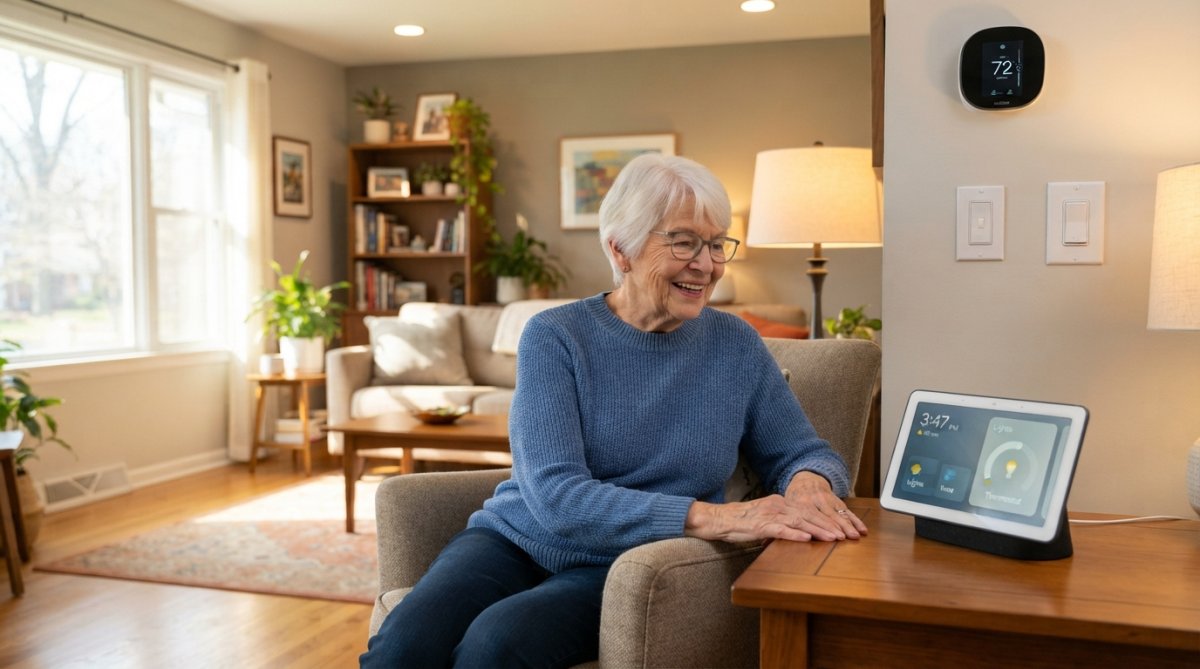
Smart home devices eliminate physical barriers that make daily living difficult, fumbling for light switches, struggling with thermostats, worrying about forgotten medications. The right combination extends the years a person can safely live at home, reducing falls, improving medication adherence, and giving adult children peace of mind.
The challenge is choosing the right devices and setting them up to work together. Too many families buy disconnected gadgets that don't communicate. This guide covers the 5 best smart home devices for senior independence, ones that deliver real safety gains, work reliably, and don't require technical expertise.
Quick Comparison Table
| Device Type | Best Option | Starting Price | Key Benefit | Best For |
|---|---|---|---|---|
| Smart Display | Amazon Echo Show 11 | $299.99 | Central hub for voice control and video calls | Seniors needing hands-free control and family connection |
| Smart Thermostat | Ecobee Smart Thermostat | $189.99 | Remote room sensors for consistent comfort | Homes with temperature inconsistencies |
| Video Doorbell | Ring Video Doorbell | $99.99 | Screen visitors without opening door | Seniors concerned about home security |
| Smart Lighting | Philips Hue Smart Lighting | $49.99 | Motion-activated lights prevent falls | Reducing nighttime fall risk |
| Smart Lock | August Wi-Fi Smart Lock | $229.99 | Remote access for caregivers and emergency services | Seniors with arthritis or mobility challenges |
1. Voice-Activated Smart Displays: Amazon Echo Show 11 and Google Nest Hub Max
A smart display serves as the nerve center of aging-in-place technology. Unlike smartphones or tablets, these devices sit on a counter or nightstand and respond to voice commands without passwords, apps, or holding anything. For seniors with arthritis, tremors, or vision challenges, hands-free control is transformative.
The Amazon Echo Show 11 ($299.99) offers an 11-inch screen with clear audio. Seniors can ask Alexa to call family, check weather, set medication reminders, or control lights and thermostats by voice. It integrates with Ring doorbells, allowing seniors to see visitors without standing up.
The Google Nest Hub Max ($229.00) is a strong alternative if your family already uses Google services. It has a built-in camera for video calls and includes Google Assistant voice control. The interface is intuitive, and the video calling quality is excellent for staying connected with grandchildren or caregivers.
Key Features for Aging in Place
Both devices excel at medication reminders with visual and audio alerts. Seniors can say "Alexa, remind me to take my blood pressure medication" without writing anything down. Two-way calling lets caregivers reach seniors instantly, and seniors can call for help using voice alone.
Motion-activated routines reduce fall risk by turning on lights automatically when a senior gets out of bed at night. The devices work with fall detection systems and medical alert services, creating a safety net that responds faster than a person could.
Pros and Cons
What works: The Echo Show 11's large display is easy to read for seniors with vision changes. Voice control is intuitive with no learning curve. Setup takes under 10 minutes.
What doesn't: Both require consistent Wi-Fi. Privacy concerns are legitimate, these devices have built-in microphones and cameras. If privacy is a priority, disable the camera or skip the display.
2. Smart Thermostats: Nest Learning and Ecobee for Climate Control
Older adults regulate body temperature less effectively, making them vulnerable to overheating and hypothermia. A smart thermostat removes manual adjustment burden while ensuring consistent comfort.
The Nest Learning Thermostat ($249.00) learns temperature preferences over two weeks and adjusts automatically. Remote smartphone control lets adult children adjust temperature if a parent forgets or becomes confused.
The Ecobee Smart Thermostat ($189.99) takes a different approach: it includes remote room sensors that detect hot and cold spots in the home. If your parent's bedroom is always cold while the living room is warm, the sensors balance temperature across rooms automatically. This is especially valuable for seniors who spend time in multiple areas of the home.
Why Temperature Control Matters for Seniors
Seniors often skip thermostat adjustments to save money, increasing risk of heat-related illness and falls. A smart thermostat removes this burden and can align schedules with sleep and activity patterns.
Remote access lets you warm a cold home from your phone in seconds and review energy usage patterns. The device provides visibility into whether your parent's home is actually comfortable.
Both thermostats include energy reports showing usage and cost, appealing to seniors concerned about utility bills.
3. Video Doorbells and Smart Locks: Ring and August for Home Security
A video doorbell solves a real security problem: seniors answering the door without knowing who's outside. It lets them see and speak to visitors from inside the home or anywhere via phone.
The Ring Video Doorbell ($99.99) records HD video, sends motion alerts, and allows two-way conversation. Seniors can ask delivery people to leave packages without opening the door. Adult children can monitor visitors and intervene if needed.
The August Wi-Fi Smart Lock ($229.99) eliminates physical keys for seniors with arthritis. It allows remote unlocking for caregivers, emergency responders, or family members, and lets you grant temporary access or lock the door remotely.
Screening Visitors and Emergency Access
Video doorbell and smart lock together create oversight without restriction. Caregivers gain access via phone instead of keys, and emergency responders can be granted access in seconds during a crisis. (Source: National Institute on Aging's guidance on technology for aging in place)
Both devices integrate with smart displays. A Ring doorbell notification appears on the Echo Show, allowing a senior to answer the door using the display's speaker and camera instead of fumbling with their phone.
4. Smart Lighting and Plugs: Motion-Activated Safety
Falls are the leading cause of injury-related death among seniors, most occurring at night. Motion-activated smart lighting eliminates this risk by turning on lights automatically when a senior moves through the home.
Philips Hue Smart Lighting ($49.99 per bulb) offers customizable brightness and color temperature.
How to Set Up Smart Home Devices for Elderly Parents
Setting up smart home devices is straightforward with a logical sequence. Most families fail by buying devices without a plan, resulting in gadgets that don't work together.
Start Simple and Build Gradually
Begin with a smart display and one other device, either a thermostat or video doorbell. Let your parent get comfortable with voice control before adding complexity. Success with one device builds confidence for the next.
Choose a Central Hub
All smart home devices need a central hub to communicate. The smart display serves this function. Ensure your chosen display is compatible with other devices you're planning to add.
Test and Train
Test every device together: turn on lights by voice, open the video doorbell, adjust the thermostat, and make a video call. Troubleshoot immediately if anything doesn't work.
Smart Medication Dispensers for Seniors: Adherence and Safety
Medication non-adherence is a massive problem among seniors living alone. Forgetting doses, taking the wrong medication, or taking the same dose twice leads to hospitalizations and complications. A smart medication dispenser automates this critical task.
Frequently Asked Questions
What are the best smart home devices for elderly people?
Voice-activated smart displays, smart thermostats, video doorbells, smart locks, and motion-activated lighting are among the most beneficial. These devices reduce physical effort, improve safety, and enable remote monitoring. The best choice depends on your parent's specific needs, someone with mobility challenges may prioritize voice control, while someone concerned about home security might start with a video doorbell and smart lock.
How do smart medication dispensers for seniors improve medication adherence?
Smart medication dispensers send real-time alerts when it's time to take medications, track whether doses were taken, and notify caregivers or family members if a dose is missed. This technology is especially valuable for seniors managing multiple medications or those with memory concerns. Many systems integrate with voice assistants for hands-free reminders.
Are smart home devices difficult for seniors to use?
Modern smart devices are designed with accessibility in mind. Voice-activated controls eliminate the need to navigate menus, large displays improve readability, and setup has become simpler. Starting with one device and gradually adding others helps seniors become comfortable. Many families find that initial training from a caregiver or tech support makes all the difference.
How do I set up smart home devices for elderly parents who aren't tech-savvy?
Start by choosing a central hub like Amazon Echo Show 11 or Google Nest Hub Max. Install one device at a time, test it thoroughly, and provide hands-on training. Use simple voice commands and large buttons. Label devices clearly and create written instructions. Many families benefit from having a caregiver or family member available during the initial setup period to answer questions and troubleshoot.
What privacy concerns should I consider with smart home devices?
Built-in cameras and microphones raise privacy questions. Choose devices with privacy controls, such as physical mute buttons and the ability to disable cameras when not needed. Review privacy settings and data-sharing policies before purchase. For seniors with privacy concerns, consider devices without cameras or those allowing you to control who has access to footage and audio recordings.